5 Best AI Music Video Generators in 2026 (Tested and Ranked)
If you have been searching for a reliable AI music video generator, you already know the options have multiplied fast. Some tools are built for abstract visualizers. Some are cinematic clip generators that still require you to edit everything yourself. A few are genuinely designed for the full music video workflow — audio sync, character consistency, storyboard, export.
I tested five of the most talked-about tools and ranked them based on what actually matters for music creators: how well the visuals follow the music, how stable characters look across scenes, and whether the output is something you can post without spending another hour in Premiere Pro.
Here is how they stack up.
Quick Comparison
| Tool | Lip Sync | Character Consistency | Audio-Reactive | Full-Song Length | Score |
| Freebeat ★ Best Overall | ★★★★★ | ★★★★★ | ★★★★★ | Up to 6 min | 9.6 |
| Neural Frames | ★★★☆☆ | ★★★☆☆ | ★★★★★ | Medium | 8.2 |
| Kaiber | ★★★☆☆ | ★★★☆☆ | ★★★☆☆ | Medium | 7.2 |
| Runway | ★★★★☆ | ★★★★☆ | ★★☆☆☆ | Short clips | 7.4 |
| Pika | ★★★★☆ | ★★★☆☆ | ★★☆☆☆ | Short clips | 6.6 |
1.Freebeat — Best Overall AI Music Video Generator
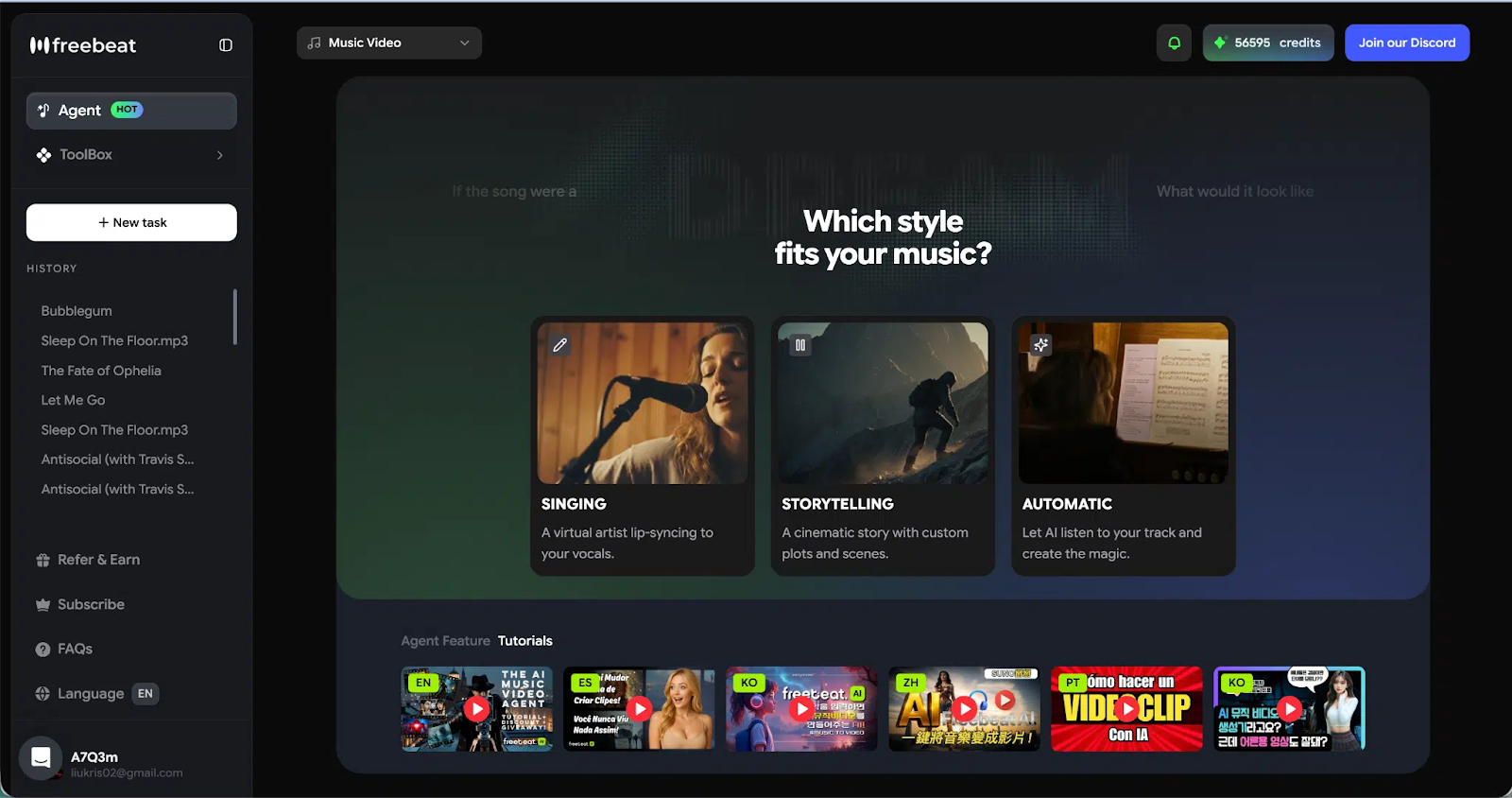
Freebeat is the most complete music video generator I tested. It is the only one that consistently delivered on the three things that separate a real music video from a generated clip reel: beat-aware visuals across the full track, a storyboard that feels like it was actually directed, and the strongest singing lip sync I have seen from any AI tool.
The lip sync is worth dwelling on. Freebeat achieves over 90% accuracy by processing the vocal track at a phoneme level — matching mouth shapes to actual sounds rather than applying generic open-close animation. The difference is immediately visible, especially on faster lyrical passages where most tools fall completely apart. If your video features a vocalist on screen, this alone makes Freebeat the clear choice among AI music video generators.
Character consistency is the other standout. Most tools generate scenes somewhat independently, which means faces shift between shots — different structure, different skin tone, different hair. Freebeat anchors character identity across scenes through a dedicated avatar system:
- Upload your own photo to generate a custom AI avatar based on a real likeness
- Choose from a preset character library if you do not have a reference image
- Support for up to 2 characters per video for duets or narrative content
- Stable identity across every scene — close-ups, wide shots, atmospheric B-roll all feature the same face
Beyond those two headline features, Freebeat analyzes the full song structure — intro, verse, chorus, outro — and times visuals to BPM, beat drops, and section transitions. It offers three creation modes (Storytelling, Stage Performance, and Automatic), director-level shot planning with A-roll and B-roll logic, a built-in lyrics video generator with karaoke-style timing, and platform-ready export in 16:9, 9:16, and 1:1 for TikTok, YouTube, Reels, and Instagram.
It also supports input from Suno, Udio, TikTok, YouTube, and SoundCloud links — no downloads required. For Suno users in particular, paste the link and Freebeat handles the rest.
You can generate videos up to 6 minutes, which is a bigger deal than it sounds. Most tools cap you at short clips and make you stitch them together manually.
- Best for: Independent musicians, singer-songwriters, bedroom producers, and content creators who want a complete audio to video workflow without a production team
- Standout features: 90%+ lip sync accuracy, strong character consistency, full-song audio-reactive generation
- Score: 9.6 / 10
2. Neural Frames — Best for Audio-Reactive Abstract Visualizers
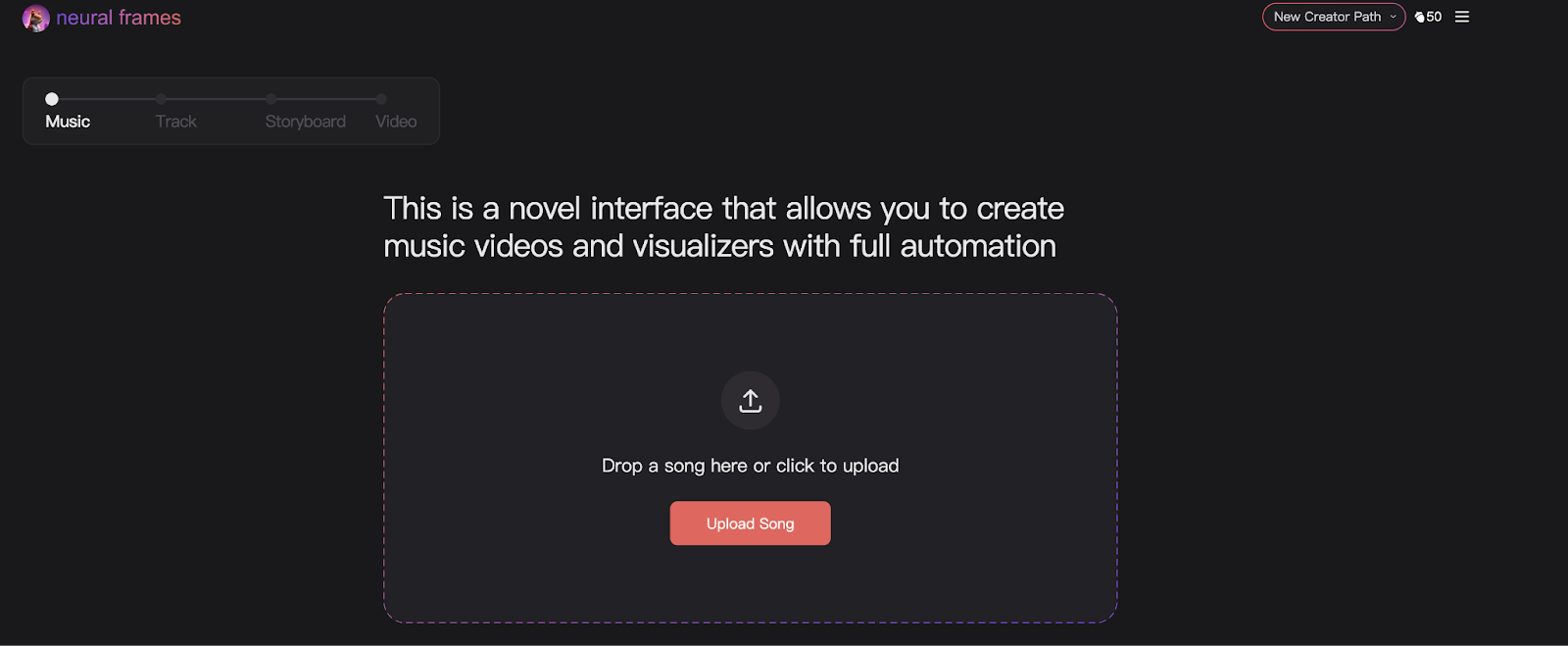
Neural Frames has built a strong reputation specifically around audio-reactive visual generation. It analyzes the structure of your track and creates visuals that respond tightly to beats, tempo changes, and rhythm patterns — and for that use case, it is genuinely excellent.
The workflow is relatively straightforward: upload your track, choose a style direction, and the platform generates a draft sequence that follows the music. For artists making stylized visualizers or abstract music videos where the goal is mood and motion rather than narrative or performance, the output is impressive.
Where it falls short is anything performance-driven. Lip sync and character identity are not core features here — the tool is optimized for abstract visuals, not for putting a vocalist convincingly on screen. Long-form structure can also feel like multiple disconnected segments rather than a continuous directed video.
- Best for: Artists who want stylized audio-reactive visualizers without character or performance elements
- Where it falls behind Freebeat: Lip sync, character consistency, and narrative scene planning
- Score: 8.2 / 10
3. Runway — Best for Cinematic Clip Quality
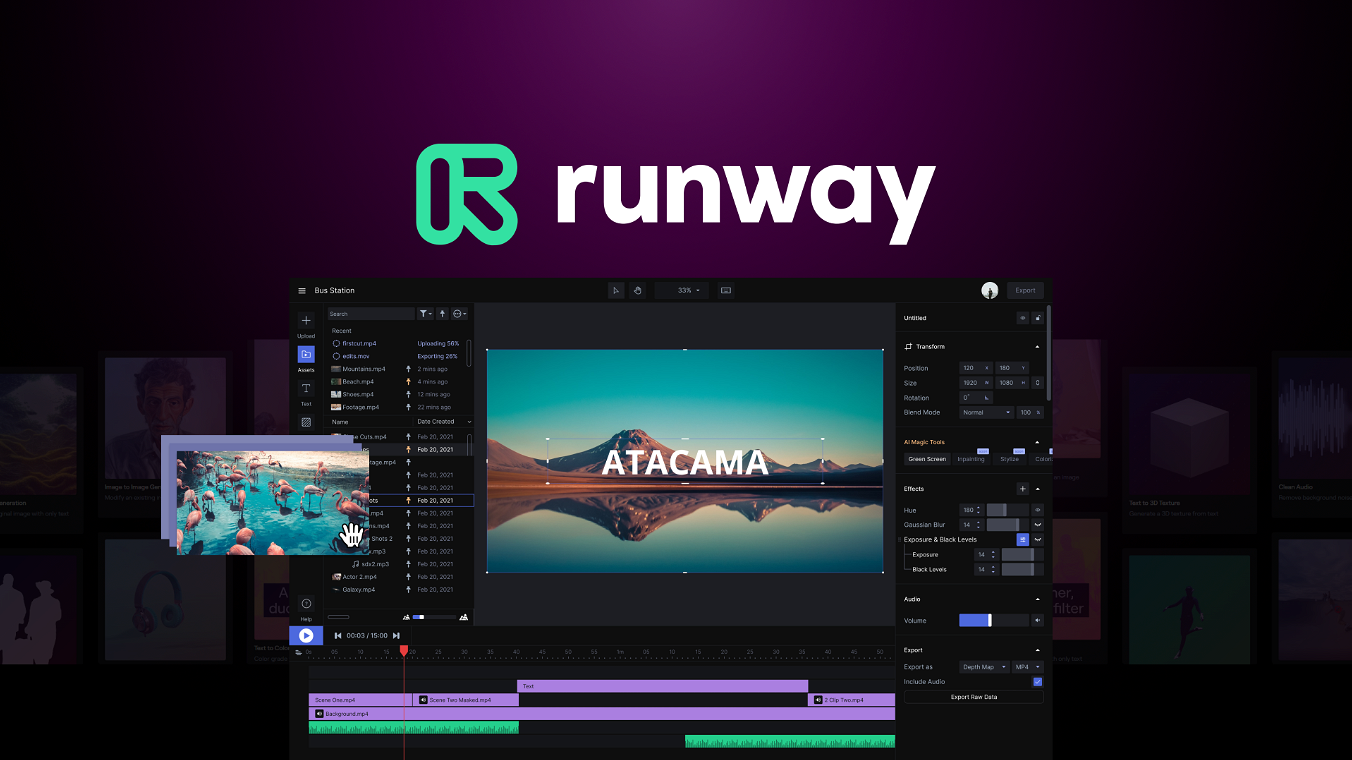
Runway produces some of the most visually polished AI-generated footage available. The clip quality is genuinely cinematic — rich textures, realistic motion, strong camera logic. For filmmakers or visual artists generating high-quality clips for external editing, it is hard to beat.
The limitation for music video production is structural. Runway does not generate a complete video tied to a song’s structure. It produces short clips that you then assemble in editing software. There is no native audio-reactive generation, no automatic storyboard, and no integrated lip sync system. Syncing the final result to your track is a manual editing job.
For musicians who want to generate music videos quickly, this workflow adds significant time. For experienced editors who want the best possible raw material, it is worth the extra steps.
- Best for: Filmmakers and editors who want cinematic AI clips and are comfortable assembling them externally
- Where it falls behind Freebeat: No audio-reactive generation, no storyboard, no lip sync — music video workflow requires full external editing
- Score: 7.4 / 10
4. Kaiber — Best for Creative Experimentation
Kaiber functions more like a creative AI playground than a dedicated music video tool. Its Superstudio interface lets you work with multiple models on a flexible canvas — generating images, animations, and video clips and combining them into something that evolves organically. It is a genuinely interesting environment for visual experimentation and concept development.
The tradeoff is that the music video workflow is largely manual. Kaiber does not have a strong audio-reactive engine, beat sync is imprecise compared to dedicated tools, and there is no lip sync or performance-focused output. You can build interesting visual content here, but assembling it into a coherent, music-synced video requires significant extra work.
If your process is more about exploring and iterating than shipping a finished video fast, Kaiber is worth exploring. If you need a complete output, it will take longer than tools built around that goal.
- Best for: Creators who want to experiment visually and build content through a canvas-based workflow
- Where it falls behind Freebeat: Imprecise audio sync, no lip sync, long-form coherence requires manual assembly
- Score: 7.2 / 10
5. Pika — Best for Short-Form Social Clips
Pika is built for speed and accessibility. It generates short animated clips from prompts, images, or video inputs quickly, and the visual effects it produces are fun and shareable. For social media content, teasers, or quick experimental clips, it is one of the fastest tools available.
For full music video production, the limitations are significant. Most outputs are short segments — you generate multiple clips and stitch them together manually. There is no storyboard, no audio-reactive generation built around song structure, and no sustained lip sync for vocal performances.
Pika has been expanding its features, including some performance animation work, but it remains primarily a short-form content tool rather than a complete music video generator. For quick social assets, it is excellent. For a video that runs the length of a full track, it requires a lot of additional work.
- Best for: Quick short-form social content, visual teasers, and experimental clip generation
- Where it falls behind Freebeat: No full-song workflow, no audio-reactive structure, no sustained lip sync
- Score: 6.6 / 10
Which AI Music Video Generator Should You Use?
The right tool depends on what you are actually trying to produce:
- Full music video with a vocalist on screen: Freebeat. The lip sync accuracy and character consistency make it the only tool purpose-built for this use case.
- Audio-reactive abstract visualizer: Neural Frames handles this better than anything else in this list.
- Cinematic clips for external editing: Runway produces the best raw footage quality if you are comfortable assembling it yourself.
- Creative visual experimentation: Kaiber gives you the most flexible canvas for iteration and exploration.
- Fast short-form social content: Pika is the quickest path to a shareable clip.
If you are an independent musician, producer, or content creator who needs to ship visual content regularly and wants the output to actually look like a music video — consistent character, synced vocals, structure that follows the song — Freebeat is the strongest option available right now among AI music video generators.